Every program, not just the browser
Games, launchers, mail clients, updaters and chat apps all resolve names through Windows. Wardline sits exactly there, so one blocklist applies to all of them at once, with no per-app setup.
Wardline for Windows 10 and 11
Wardline answers every DNS request on your PC. Names on the filter lists never resolve, so ads, trackers and malware domains never reach your browser, your games or the apps running in the background.
No accounts, no telemetry Encrypted DNS by default EasyList, EasyPrivacy, AdGuard and more

What you get
Browser extensions protect one browser. Wardline works one layer lower, where every program asks Windows for an address.
Games, launchers, mail clients, updaters and chat apps all resolve names through Windows. Wardline sits exactly there, so one blocklist applies to all of them at once, with no per-app setup.
Allowed names go out over DNS-over-HTTPS to Cloudflare, Google, AdGuard, Quad9 or a resolver of your own. Your ISP sees ciphertext.
5, 30 or 60 minutes. Protection returns on its own, and your original DNS settings come back the moment you stop or uninstall.
Allow or block any domain with one click in the log or on the dashboard. A rule of yours overrides every list, subdomains included.
Time, domain, action and the list that matched. One page load becomes one row, so the counters mean what they say.
Cookies, cache and temporary files of Edge, Chrome, Firefox, Brave, Vivaldi and Opera, per profile, with sizes. Delete only what you tick.
How it works
Every connection starts with a name lookup. Wardline is the one answering.
One installer. Wardline registers a Windows service and, after your consent, points the network adapters at itself. Nothing changes before you agree.
The service compares the name with the lists and rules in memory. A match is answered with 0.0.0.0 at once; everything else goes to the resolver you chose.
Read the query log, allow a false positive with one click, pause for a game session, or turn it off. Uninstalling restores your DNS settings.
Screenshots
Light and dark, English and German. The window shows what the service does; the tray icon shows whether you are protected.
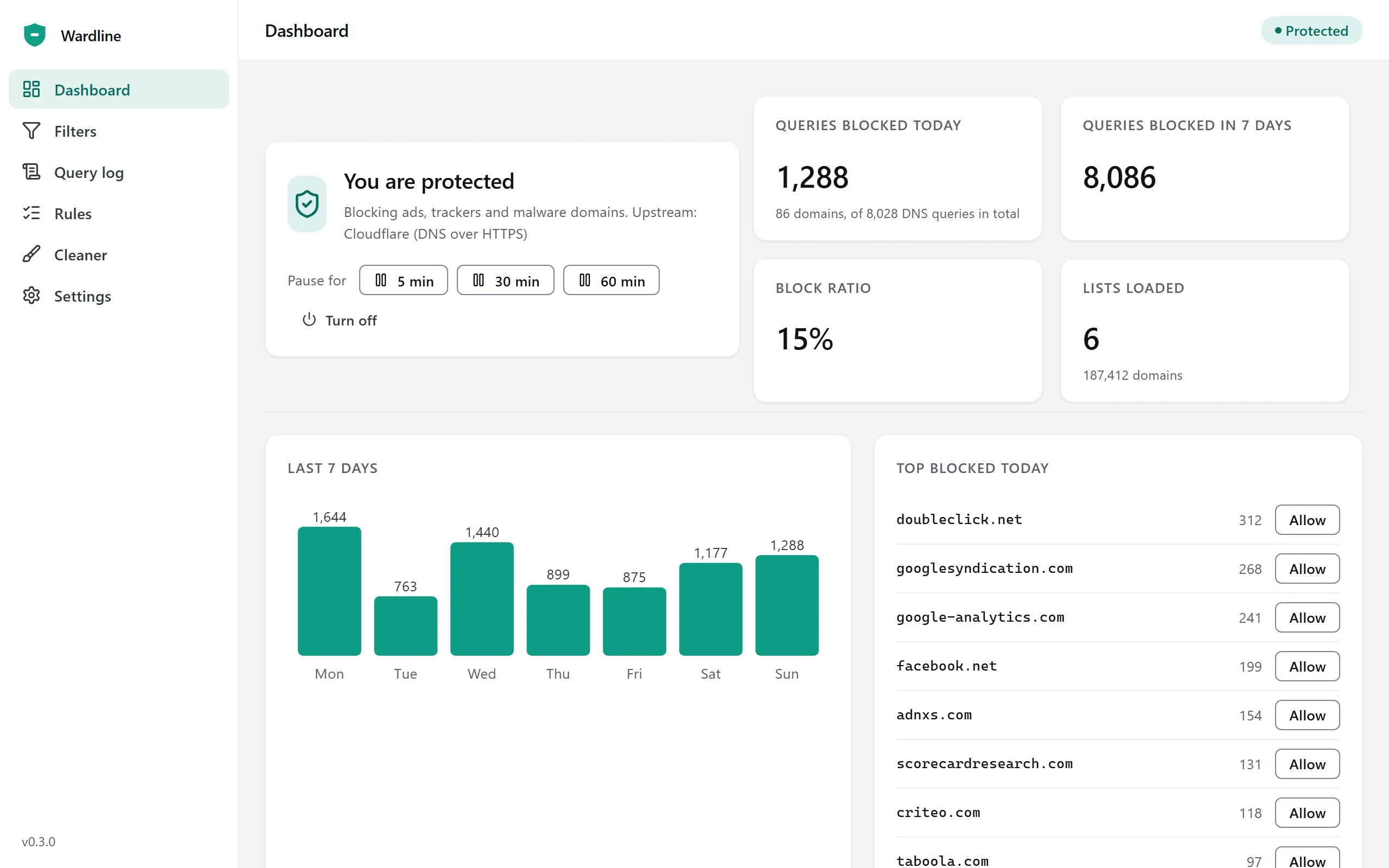
Blocked queries today and over the week, the block ratio, the loaded lists and the most blocked domains with an Allow button next to each.
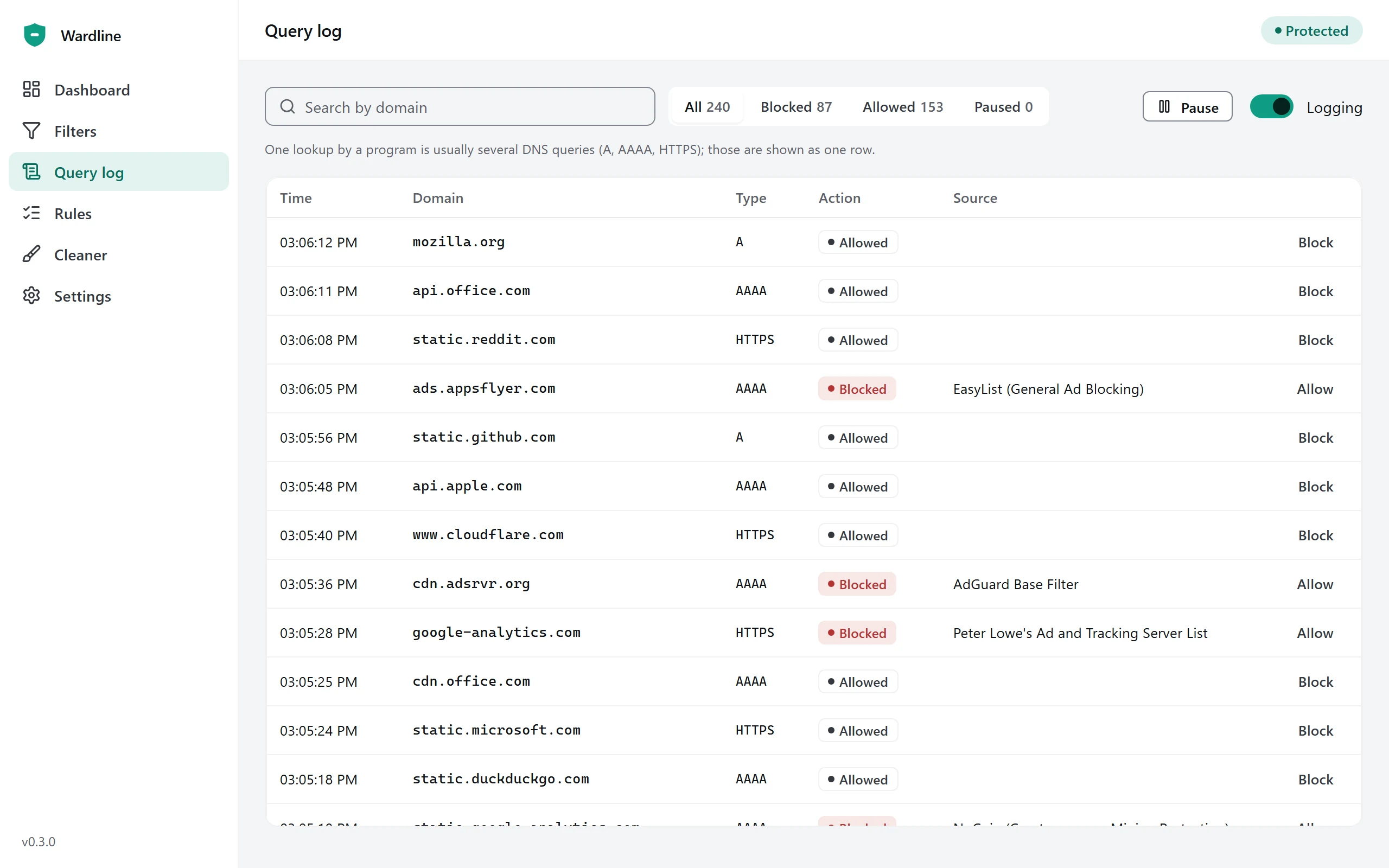
Every lookup as it happens, searchable, filtered by Blocked or Allowed, with the list that matched and a one-click rule.
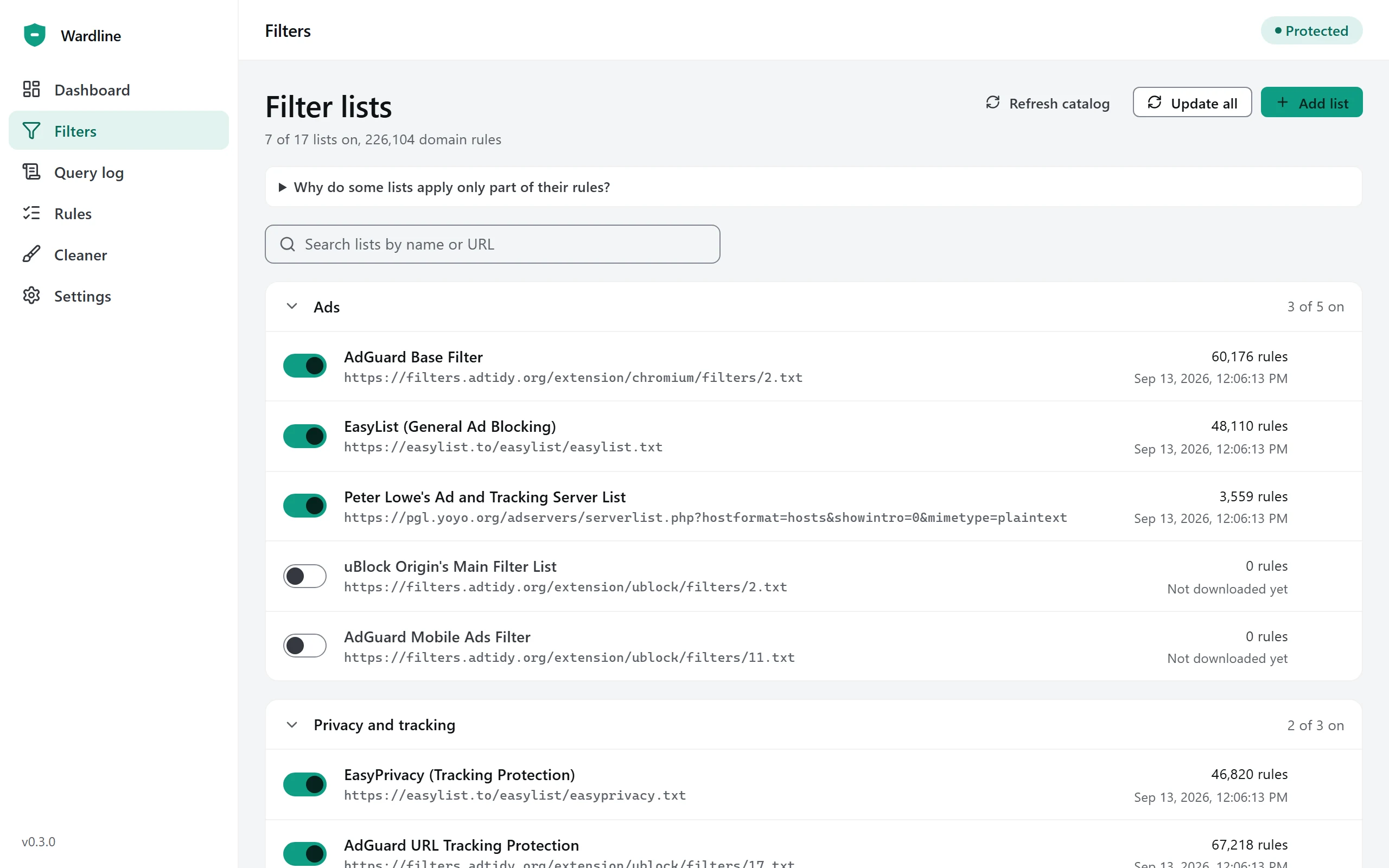
Seventeen curated lists by category: ads, privacy, security, annoyances, regional. Add your own by URL; updates run on a schedule.
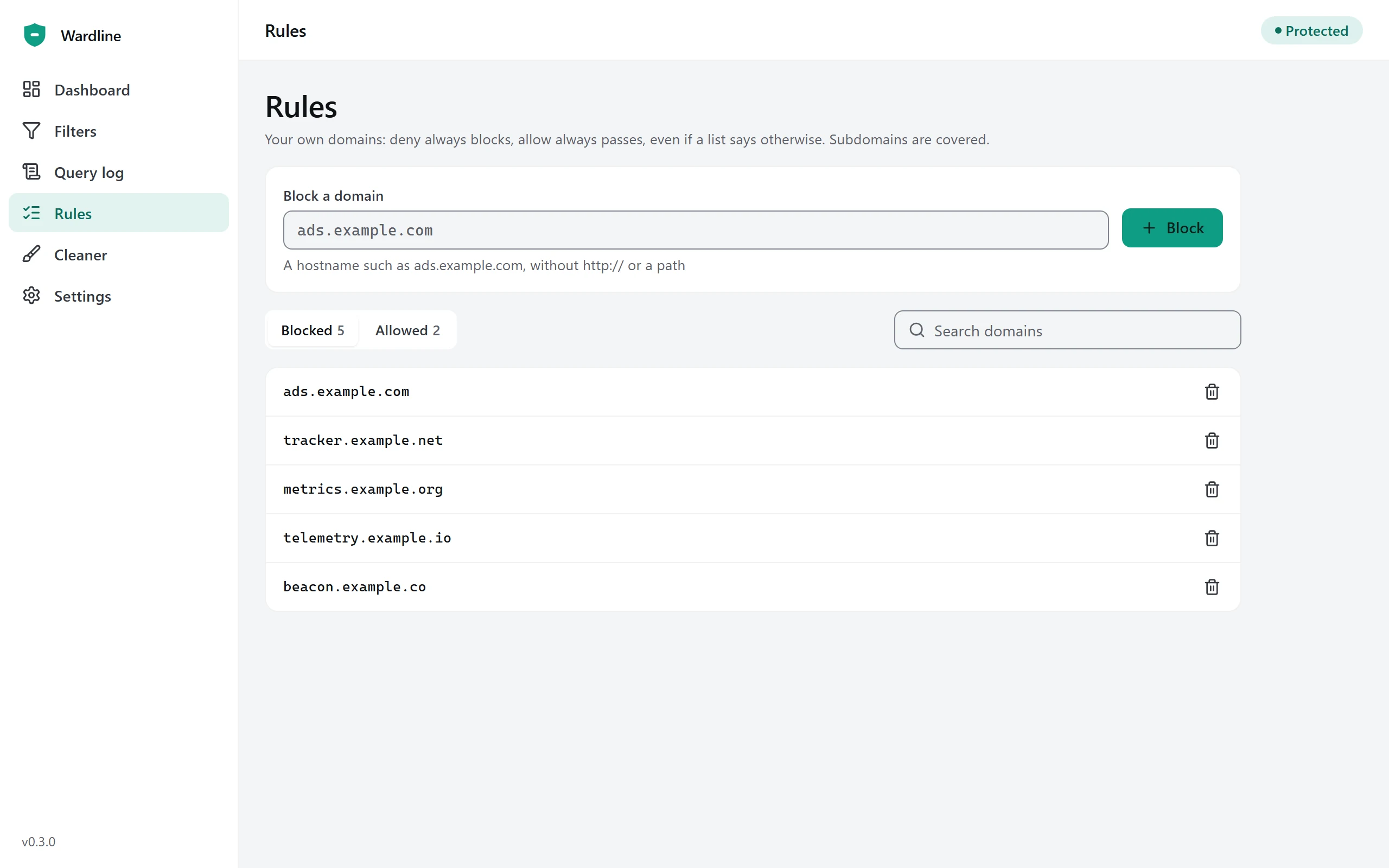
Your own allow and deny domains. They beat every list and cover subdomains; removing one can be undone.
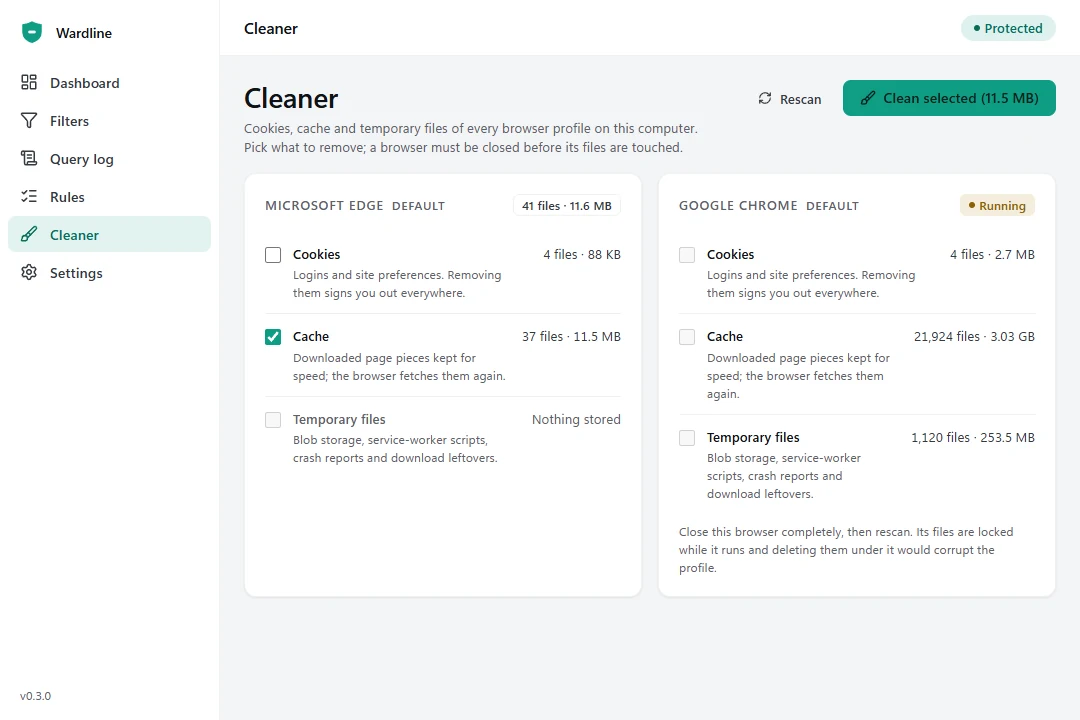
A card per browser profile. Tick cookies, cache or temporary files, confirm the total, done. A running browser is left alone.
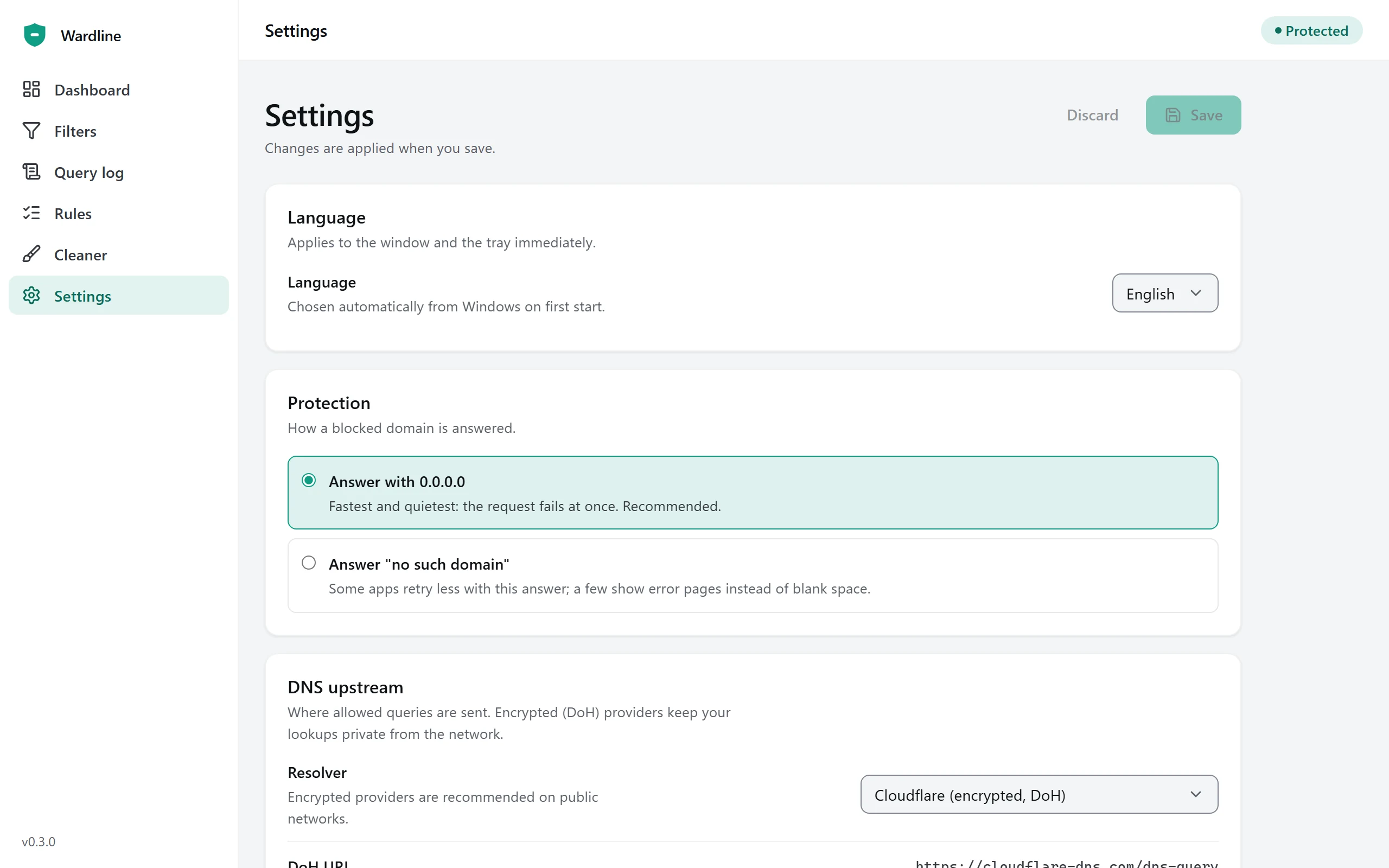
DNS upstream, blocking mode, automatic updates, adapters to exclude such as a company VPN, language and start with Windows.
Cleaner
Blocking stops new trackers. The cleaner deals with what is already on the disk.
Compared
An honest table. Wardline and a browser extension complement each other; use both if you want a spotless page.
| Capability | Wardline | Browser extension | Editing the hosts file |
|---|---|---|---|
| Covers every program | Yes | One browser | Yes |
| Encrypted DNS (DoH) | Yes | No | No |
| Hides empty ad placeholders | No | Yes | No |
| Lists update automatically | Yes | Yes | No |
| Pause with one click | Yes | Yes | No |
| Query log with one-click rules | Yes | Partly | No |
| Setup | One installer | Once per browser | Manual edits as administrator |
DNS blocking stops the request for an ad; it does not rewrite the page. Most sites collapse the space, a few keep an empty slot. An extension can hide those and runs fine next to Wardline.
Reviews
Wardline on their own machines: a home office, a family PC, a test box at work.
Sample quotes for this preview. Real, consented reviews replace them before the page goes live.
Questions
Sometimes. Wardline blocks the request for the ad; it does not change the page itself. Most sites collapse the space, a few keep an empty placeholder. A browser extension can hide those slots and works alongside Wardline.
The service runs on your PC and keeps the query log in memory only. Nothing is uploaded and there is no account. Allowed names go to the DNS provider you pick, encrypted with DNS-over-HTTPS by default; that provider's own policy applies to what it receives.
Wardline backs them up before changing anything and restores them when you pause, turn protection off, stop the service or uninstall. Adapters you exclude, for example a company VPN, are never touched.
Open the query log, find the blocked name and click Allow. Your rule beats every list. In a hurry? Pause for five minutes from the tray icon.
Windows 10 version 2004 (build 19041) and later, and Windows 11, 64-bit. The installer carries the WebView2 runtime, so it also works without an internet connection during setup.
Download
Version 0.2.0 for Windows 10 and 11, 64-bit. Setup asks for administrator rights once, to register the service.
Unsigned preview builds show a SmartScreen notice. Signed builds and the Store listing are published by the Wardline team.